 MOONLIGHTWEB
Your gaming PC.
Streamed to any browser.
MoonlightWeb streams your gaming rig
to any device with a browser — phone, tablet, laptop, TV.
Free and open source. Nothing to install on the client. Just a URL.
MoonlightWeb
Browser only
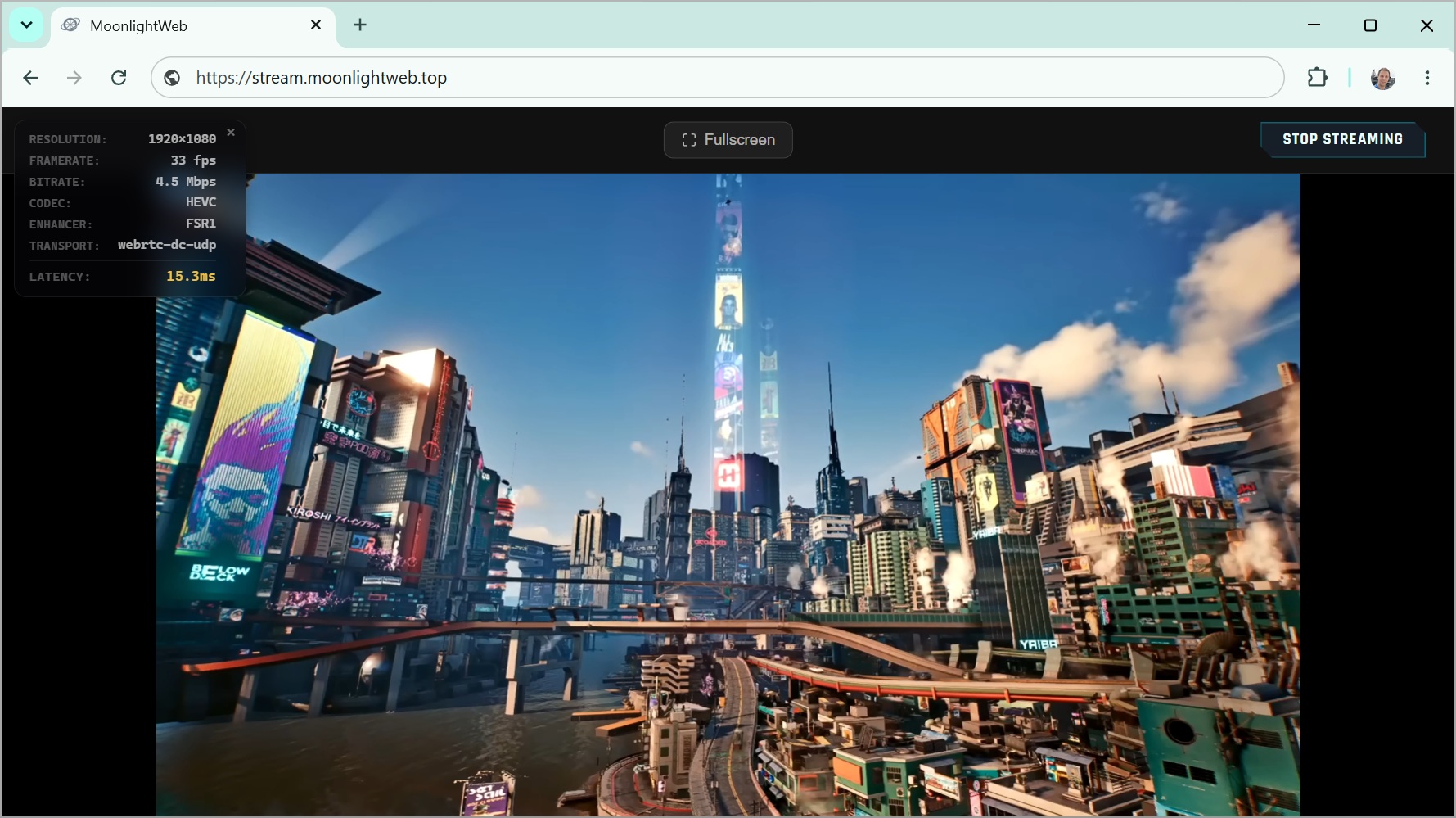
Built like a native client.
Delivered like a web page.
Everything you expect from a serious game‑streaming client — running entirely in the browser.
Console‑grade latency
WebRTC UDP transport with adaptive congestion control — under 20 ms over Wi‑Fi. Play twitch shooters, not slideshow demos.
Up to 4K HDR, 240 fps
H264, HEVC and AV1, hardware‑decoded via WebCodecs. Real HDR on HDR displays.
Video Enhancement
GPU upscaling & sharpening (SGSRv1 + FSR1) in WebGL2 or WebGPU. Stream 720p, see near‑1440p.
Stereo Opus audio
Decoded in‑browser with an adaptive jitter buffer. Stays in sync even on flaky Wi‑Fi.
Full input, full rumble
Keyboard, pointer‑lock mouse, touch trackpad, virtual keyboard, Xbox & PlayStation controllers with rumble — and racing wheels, flight sticks and RC radios.
Zero‑config discovery
Your gaming PCs appear automatically via mDNS. PIN pairing, multi‑host, persistent sessions.
Peer‑to‑peer by design
Streams go straight from your PC to your browser — no cloud in the middle. A remote entry link reaches your PC from anywhere without exposing a single web port.
Never drops you
Transport auto‑fallback (UDP → TCP) rides through hostile networks and strict firewalls.
Up to 4‑player co‑op
Invite up to three friends into the game already running on your PC — four players in one session. One save, one screen each: they play from their own device, with their own gamepad, as if they were sitting next to you.
See it in action
Same rig, same games — every screen in the house (and beyond).
All your rigs.
One URL.
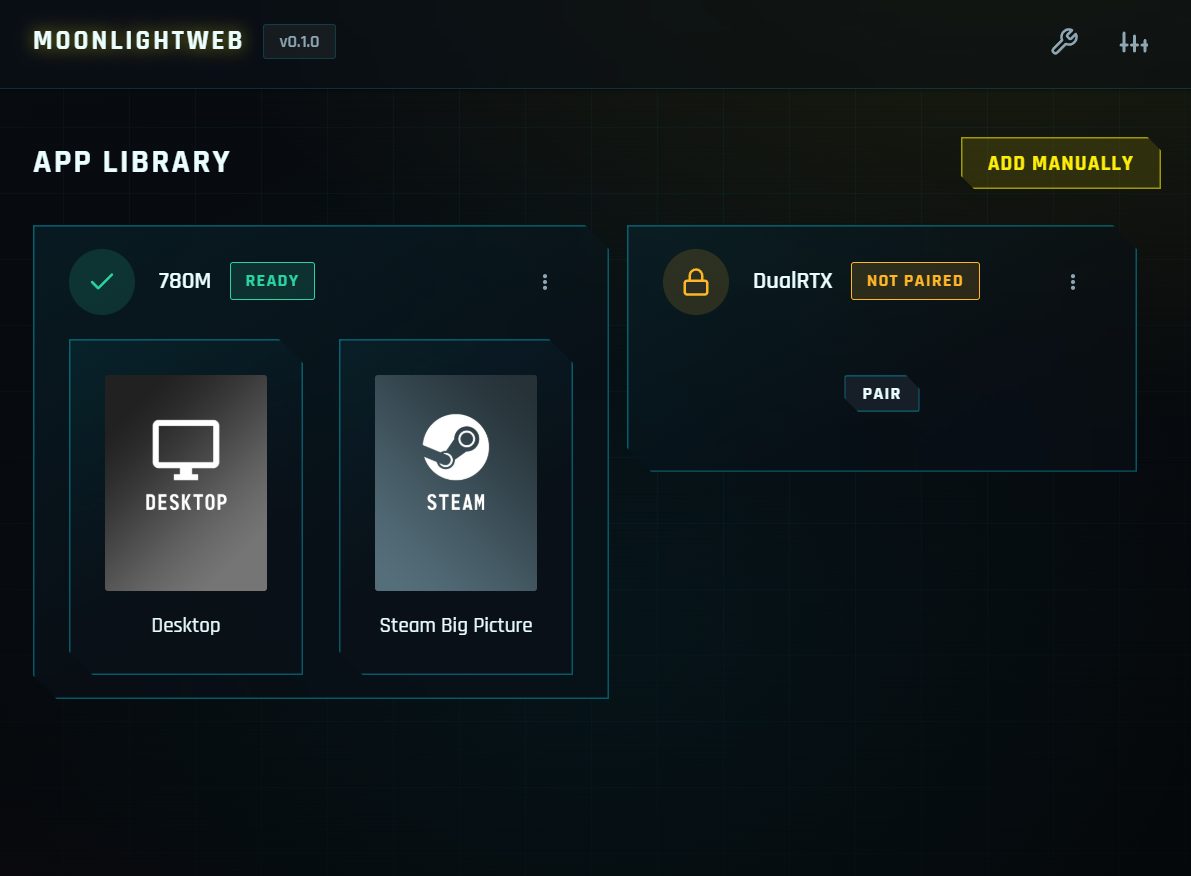
Open the page and your gaming machines are already there — discovered on the LAN, sorted, remembered.
- mDNS auto‑discovery — no IP hunting, hosts just show up
- PIN pairing — secure handshake in seconds
- Multi‑host — desktop, living‑room PC, home server
A gaming handheld,
hiding in your pocket.
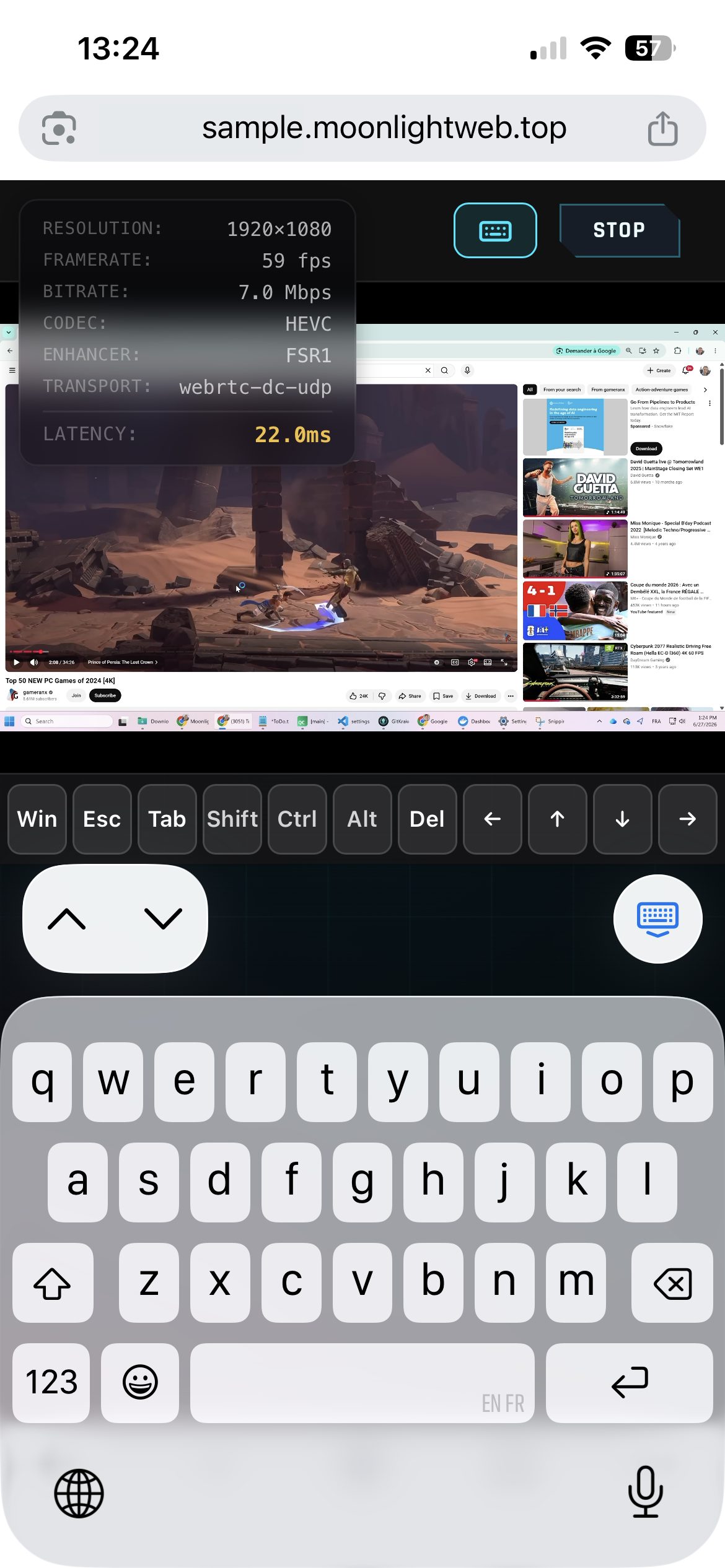
Your phone becomes a full client: multi‑touch trackpad, native virtual keyboard with modifier keys, gamepad support — up to 240 fps with <20 ms Wi‑Fi latency.
- Touch trackpad — 1 finger aims, 2 scroll & pinch, taps click
- Real keyboard input — Win, Esc, Ctrl, arrows… all there
- Nothing from the App Store — Safari or Chrome is enough
Stream light.
Display sharp.
Video Enhancement upscales and sharpens the stream on your device's GPU — WebGL2 or WebGPU running SGSRv1 and FSR1 shaders. Stream at 720p over 4G, watch it crisp on a 1440p panel.
- Less bandwidth, more detail — great on cellular and hotel Wi‑Fi
- Runs client‑side — zero extra load on the gaming PC
- Drag the slider — 720p stream vs. enhanced output →

 720p STREAM
ENHANCED ▸ 1440p
720p STREAM
ENHANCED ▸ 1440p
Set it and forget it.
Or tweak everything.
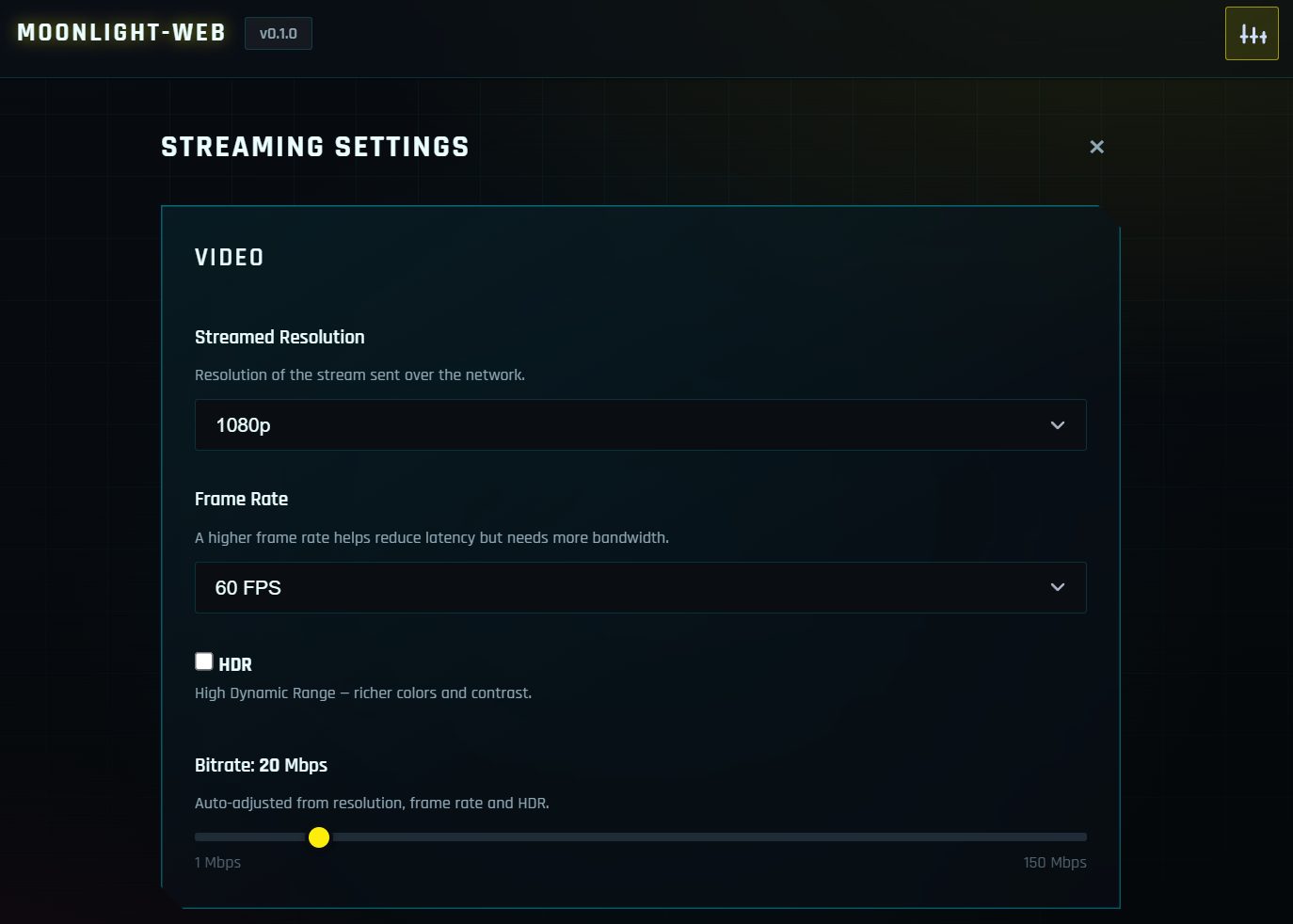
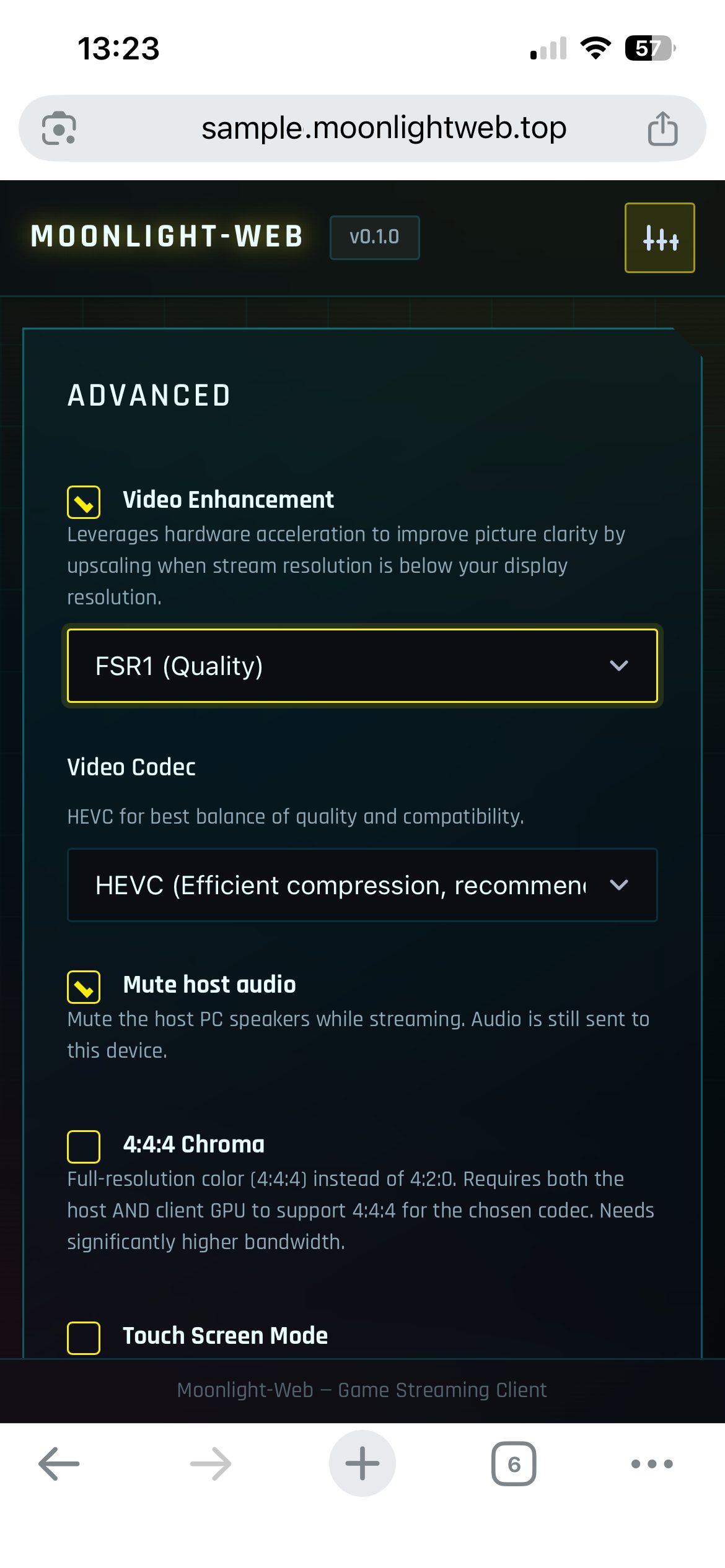
Sane defaults with auto bitrate out of the box — and a full pro panel when you want control, on desktop and mobile alike.
- Resolution, FPS, bitrate — auto‑tuned, always overridable
- HDR & 4:4:4 chroma — for the pixel purists
- Codec choice — options your browser can't decode are simply greyed out
LAN party today.
Hotel room tomorrow.
Play away from home without handing your PC to a cloud: the stream is a direct, peer‑to‑peer WebRTC connection between your browser and your rig. A remote entry link — no public sub‑domain, no exposed web ports — reaches it from anywhere.
- Direct peer‑to‑peer — your browser connects straight to your PC
- Nothing published — no public DNS record, web ports stay closed
- Self‑hosted — your games never touch anyone's cloud
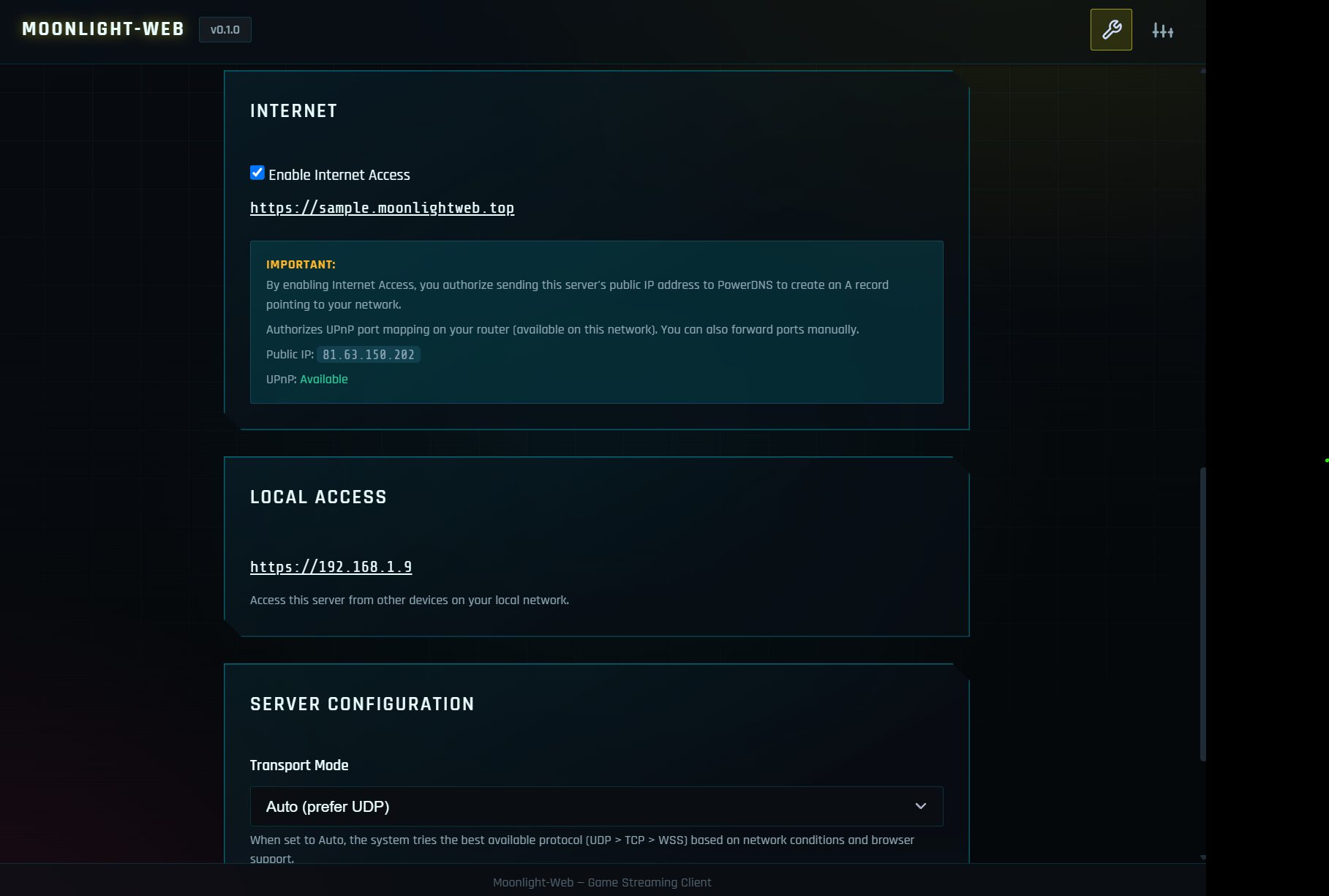
Playing remotely is now easy
Three steps, one installer, zero networking homework.
Install
One installer on the gaming PC: it captures and encodes that PC itself, no Sunshine or second streaming server needed. The wizard sets everything up — including Internet access — and leaves a tray icon behind. Nothing to install on the devices you play from.
Pair
Open the page on any device: your PC is already listed. Type the PIN it shows, once. That device is now trusted for good.
Play remotely!
Your private link works from anywhere — hotel Wi‑Fi, a friend's couch, 4G. Pick a game or the whole desktop, gamepad in hand, go.
Under the hood: a C++/Qt server captures the gaming PC itself and hands each frame straight to its GPU encoder
(NVENC, AMF, Quick Sync, VA‑API, VideoToolbox), then to the browser over WebRTC — with automatic UDP-to-TCP fallback.
Already running Sunshine, Apollo or Wolf? It embeds moonlight‑common‑c
to pair with those hosts too. Decoding happens in WebCodecs, rendering in WebGL2 or WebGPU, audio in the browser's own WebRTC player.
Grab the server. Bring the games.
One download, on the gaming PC only. Every other device just opens a browser.
Windows
Guided installer — everything set up in the wizard, Internet access included.
macOS
Apple Silicon installer with a guided setup wizard.
Homebrew
Terminal
Linux
.deb for Debian & Ubuntu, .rpm for Fedora & openSUSE, the AUR for Arch, AppImage for SteamOS & the rest.
Playing from a phone or tablet, a Chromebook or a TV? Nothing to download — the client is your browser. All releases →
Press play on your own cloud.
GPL‑3.0, self‑hosted, no accounts, no subscriptions. Built by a long‑time contributor to the Moonlight ecosystem. An optional tip — the price of a coffee — helps keep the shared DNS domain online. ☕